20 AI Tips for Photoshop
A practical AI-assisted Photoshop guide for photographers who want faster, cleaner editing decisions.
A focused SharkPixel resource for learning where Photoshop's AI tools can help, when to use them, and how to keep the final image polished and believable.
Make Photoshop AI Feel Practical
Photoshop AI tools can save time, but only when you know where they fit into a real edit.
20 AI Tips for Photoshop gives photographers a clearer way to use AI features without making the image feel overdone or disconnected from their style.
Use it as a quick, practical guide when you want to speed up retouching, solve small editing problems, and keep control of the final result.
What You Get
A focused downloadable guide built around 20 practical AI-assisted Photoshop tips for photographers.
Use it when you want clearer editing direction, faster decisions, and a more confident way to decide when AI should help and when the final touch should still be yours.

20 Practical AI Tips
AI-Assisted Photoshop Workflow
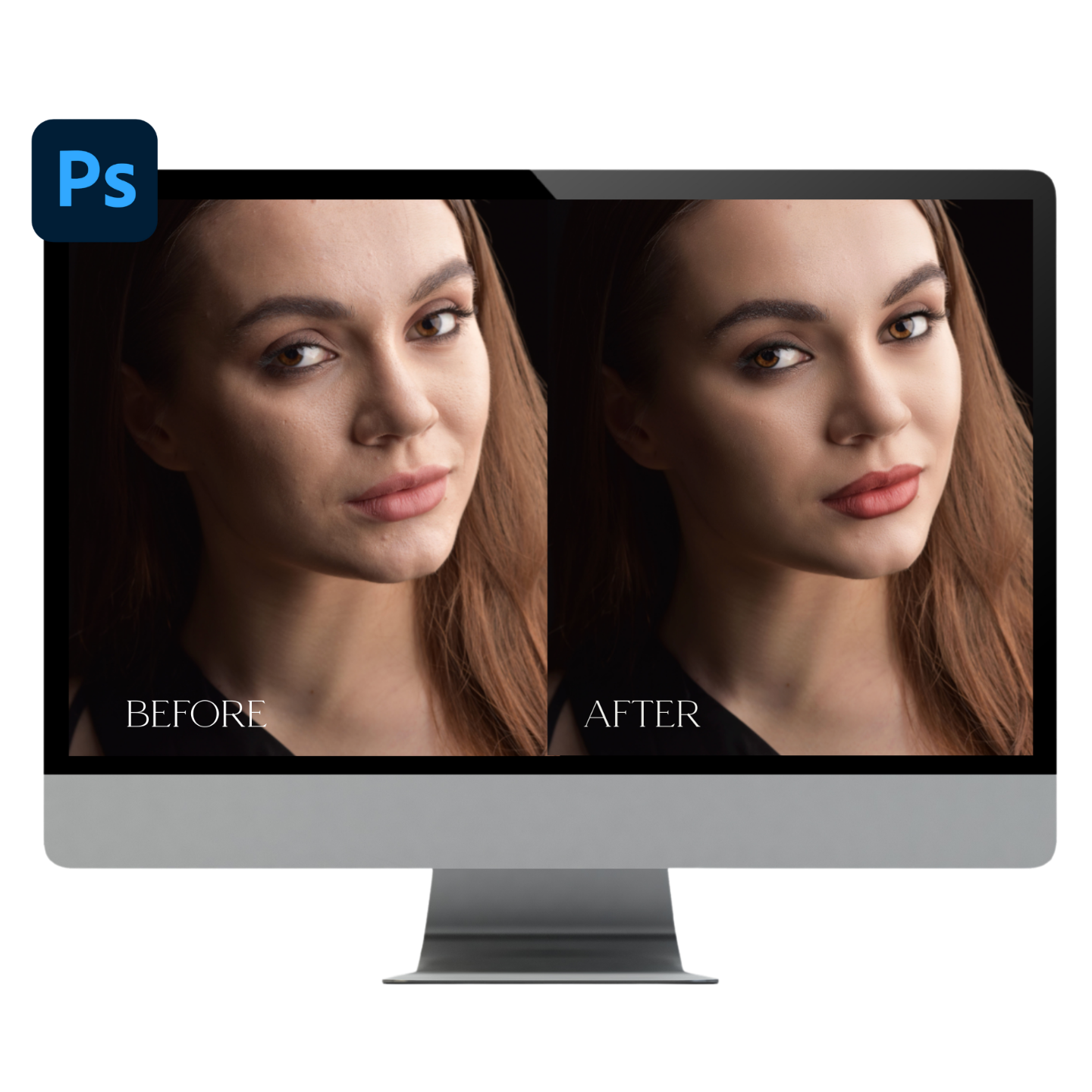
Cleaner Editing Decisions

Fast Digital Access
Built For Real Images
Use It When Photoshop AI Could Save the Edit
20 AI Tips for Photoshop is for the moments when a tool looks promising, but you still need to know how to use it with taste.
Use it for portrait cleanup, background fixes, retouching support, and creative edits where Photoshop AI can remove friction without taking over the image.
The goal is to help photographers move faster while still making intentional, image-first decisions.
How This Can Help You
Faster Starting Point
Creates a clearer first pass for beauty retouching so the editor can spend less time getting started and more time making final creative decisions.
Polished, Controlled Finish
Supports skin and beauty edits without forcing every image into the same one-click look.
Built For Real Editing Days
Fits into a normal Photoshop workflow: apply the action, refine the result, and keep control of the final image.
Ready To Start Faster?
Use Signature Beauty Retouch Actions as a cleaner starting point for polished Photoshop beauty edits.
Get Instant Access
Why Photographers Will Want This
Faster Start: Less time staring at the same image wondering where to begin.
Clear Workflow: A practical Photoshop workflow that supports the edit without turning the page into a software manual.
Natural Finish: A result that can still feel like the photographer's own work, not a forced preset look.
What Photographers Are Saying:
Preston W.
"I love project courses and always set Kristina up on an iPad near my main monitor so I can follow along while I use the files she provides to train myself in these techniques through practice."
Sheridan J.
"If you do any sort of retouching work on beauty, you owe it to yourself to get Kristina's custom brushes. Why would you want to waste time doing tedious manual paint-outs when you could be spending it taking more photos and getting more clients?"
Verified Customer
"Kristina's talent and expertise have truly advanced my photography business. Highly recommend for anyone serious about improving their photography and retouching skills!"
This Works In

Built for Photoshop action workflows in recent Photoshop versions.

Best for beauty portraits, headshots, branding images, and close-up retouching.

Use the action as a starting point, then refine the image by hand for the final look.
A Cleaner Way To Finish Beauty Images
This is not about rushing the edit or flattening every portrait into the same look. It is about having a reliable Photoshop starting point for the parts of beauty retouching that can slow you down.
Apply the action, refine what the image needs, and keep the final result polished, intentional, and believable.
Ready To Add It To Your Retouching Workflow?
Signature Beauty Retouch Actions gives you a focused Photoshop toolkit for faster beauty retouching without giving up control of the final image.
Includes: digital access after purchase, a focused Photoshop action workflow, and a cleaner starting point for polished portrait and beauty edits.
What software do I need?
Is this a one-click retouch?
What kinds of images is it best for?
How do I access it after purchase?
Can I use this with my own retouching style?
Ready To Make Beauty Retouching Feel More Doable?
Add Signature Beauty Retouch Actions to your Photoshop workflow when you want a cleaner starting point, faster decisions, and a polished finish that still feels natural.
Get Instant Access